Why PCmover Profile Migrator Is Better Than ForensiT
| FEATURE COMPARISON | ![]() |

![]() |
|---|---|---|
|
Transfers selected applications and settings |
![]() |
![]() |
|
Transfers user profiles |
![]() |
![]() |
|
Transfers user data |
![]() |
![]() |
|
Non-network transfer options |
![]() |
Internet only |
|
GUI interface, no coding required |
![]() |
![]() |
|
Migration alerts and reports |
![]() |
![]() |
|
Onboarding support and training available |
![]() |
Email only |
|
Custom development and branding available |
![]() |
![]() |
Try out a fully functional license of PCmover Profile Migrator Enterprise Edition for FREE!
Fill out the form and we'll email you a serial number and a link to the free download. Or,schedule a demo!
SMB Edition Licensing Options

PCmover Profile Migrator vs. ForensIT
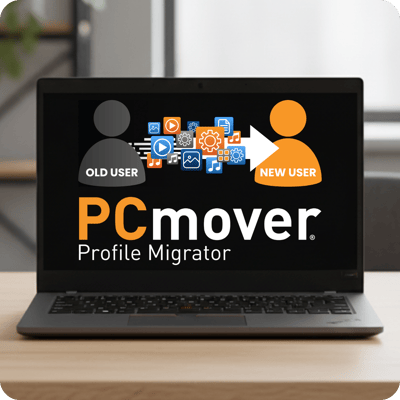
When it comes to user profile migrations, enterprises need reliable, efficient, and scalable solutions that cater to diverse business needs. PCmover Profile Migrator (Enterprise Edition) delivers a more advanced, enterprise-ready approach compared to ForensiT User Profile Wizard, giving IT teams the automation, control, and consistency needed to execute migrations efficiently. Compare the two solutions to see why organizations choose PCmover for modern profile migration projects.
Why PPM is the leading migration tool
If you are looking for a robust, Microsoft and Intel-endorsed tool with automation options, advanced enterprise-level capabilities, and seamless adaptability for comprehensive profile migrations, PCmover Profile Migrator is the choice for you. PPM is ideal for organizations migrating from local directories to Microsoft Entra ID or executing workstation transitions during OS upgrades.
Read our blog:

Common Migration Scenarios
PCmover Profile Migrator automates the entire user-profile migration process, saving IT teams hours of time while also helping to facilitate a smooth and hassle-free transfer. Laplink PCmover Profile Migrator is compaitble with the latest WIndows release plus Windows 11, 10, 8.1, 8, and 7.
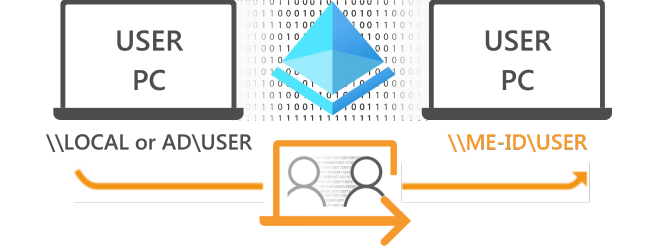
Scenario 1 - Local User to Microsoft Entra ID
Single Windows PC with Local or Local Active Directory User Profile(s)

- Join PC to Microsoft Entra ID (ME-ID, previously known as Azure AD)
- Create ME-ID user profile(s)
- Run PCmover Profile Migrator
- Map Local or Local AD user profile(s) to Microsoft Entra ID user profile(s)
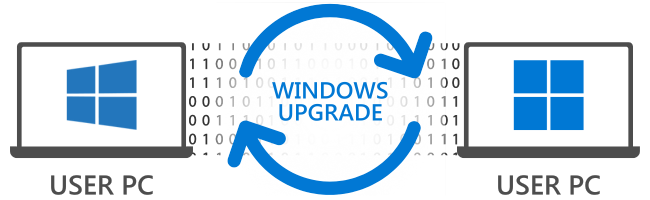
Scenario 2 - Windows Upgrade
Single old Windows PC with Local or Local Active Directory User Profile(s)

- Upgrade old PC to Windows 10 or Windows 11
- Join PC to Microsoft Entra ID (ME-ID, previously known as Azure AD)
- Create ME-ID user profile(s)
- Run PCmover Profile Migrator
- Map Local or Local AD user profile(s) to ME-ID user profile(s)
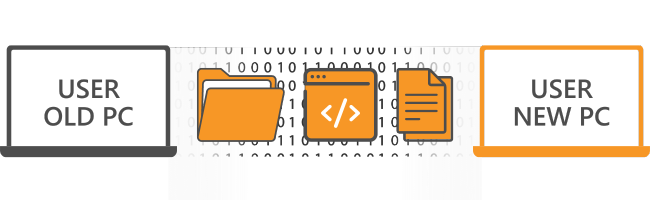
Scenario 3 - PC to PC Migration
Hardware replacement of PC with Local or Local Active Directory User Profile(s)

Meet our customers
Looking for a large scale PC migration solution?

Organizations worldwide trust Laplink's PCmover to handle the largest most complex migration scenarios. With no custom scripting or XML development needed, plus world-class technical support, complicated zero-touch migrations have never been more easily executed, onsite or remotely. But don't just take our word for it. Fill out the form and download a free, full copy of PCmover Enterprise to see it in action.
Try it for FREE!
40
OVER

Over 40 Years of Experience
With roots reaching back to the days of MS DOS, we've seen every transfer scenario imaginable. From small issues to the biggest IT nightmares, PCmover can help.